

Release Hub
February 2026 Release Updates
2.87.1 and more
Smarter Tools for Smoother Workflows
This month’s update is all about making your day easier—from smarter media management to better patient documentation and fixes for improved performance. These enhancements help you work faster, smarter, and with more flexibility.
Your tools just leveled up – check out what’s new and what’s next this month!
Why You’ll Love This Update
Symplast’s newest enhancements are all about clarity, customization, and control—making it easier than ever to run your day, your way.
-
- Track and Manage Patient Vitals
Vital signs are now easier to capture and review. Enter vitals during encounters, display them in the Health History section, and include them in printed EHR Notes for more complete documentation. - Enhanced Image Editing
New tools for markup, redaction, and formatting improve documentation quality.
- Track and Manage Patient Vitals
A Better Experience, Built for You
Each enhancement is designed to reduce friction, speed up routine tasks, and give every user—front desk, provider, or admin—the tools they need to perform at their best.
Want to see these updates in action? Check out the latest walkthrough or talk to your Customer Success rep for a quick demo. More enhancements are coming soon!
Features
Powerful New Tools for added Flexibility, Control, and Elevated Experiences.
Track and Manage Patient Vitals
Real-time vitals, right where you need them
Enter and review vital signs during patient encounters, with a new interface that makes it easy to view and include vitals in documentation.
- Capture vitals like BP, HR, temp, respiration, SpO₂, weight, height
- Display vitals in EHR Notes or Health History section of the Patient’s file
- Include vitals in printed/viewed EHR Notes
- Improve clinical accuracy and documentation
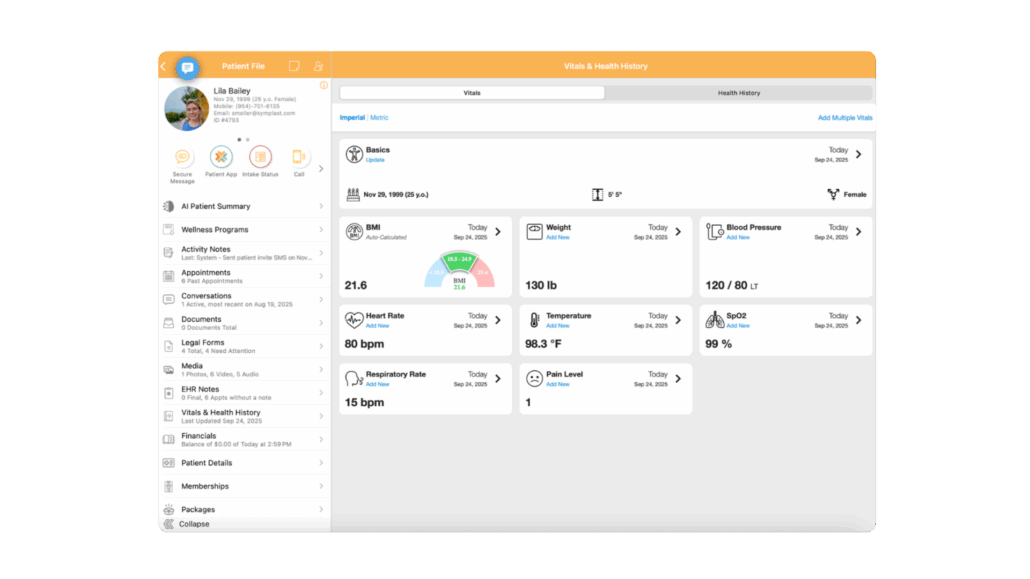
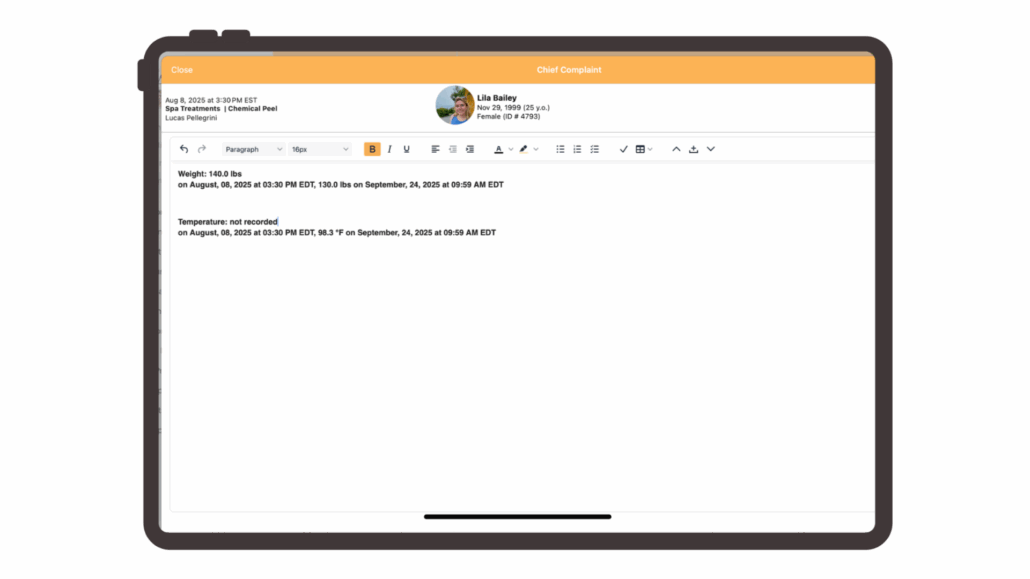
Image Editor Improvements
Edit smarter, document better.
New tools for resizing, markup, redaction, and formatting give you more control over patient media and documentation.
- Edit images like a pro with numerous new editing tools for formatting patient images.
- Lock/unlock aspect ratios for precise resizing
- Whether you’re adjusting lighting, adding annotations or filters, or redacting sensitive info, these tools make it fast and easy.

Item Management – Quick Edit
You can now update item price, cost, and activation status directly from the main Item Management page using the new Quick Edit feature. Apply filters first, then enable Quick Edit to make inline updates across multiple items at once. This reduces clicks and makes bulk pricing adjustments or item deactivation faster and more efficient.


Stay Ahead with Symplast!
We’re committed to continuous innovation that supports your success. Keep an eye out for new releases, educational webinars, and feature spotlights in the weeks ahead!